
Gait and balance assessments at home
All industries
Elderly care
Falls prevention, before the fall.
Identify mobility decline before it becomes a care event. Assess gait, balance and range of motion using existing tablets and TVs, without introducing new hardware into the home.
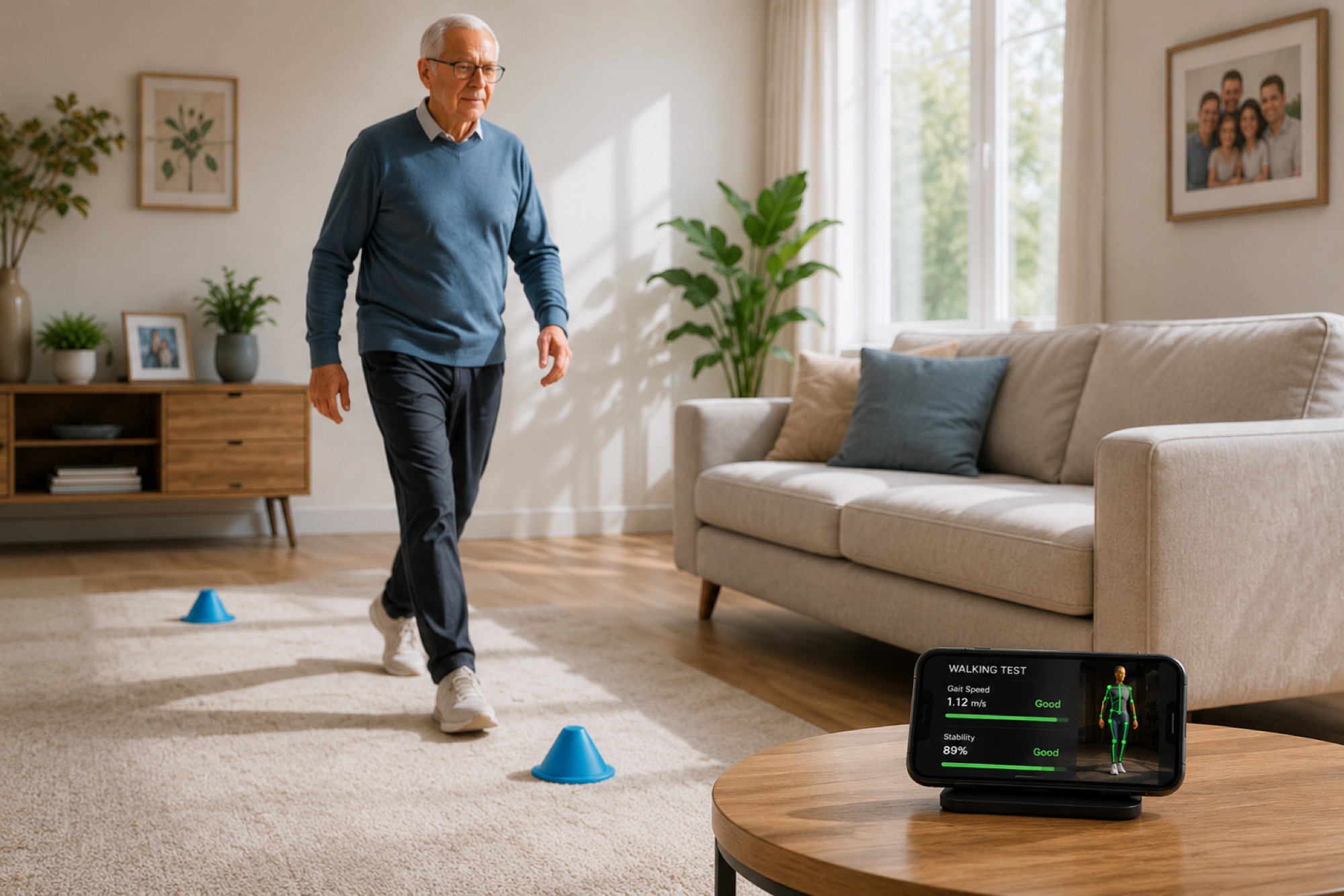
Falls-risk screening without wearables
Camera stays local. Privacy by design
Familiar devices. No new hardware required
The challenge
Decline shows up in movement before it shows up in pain.
Falls are the leading cause of injury in older adults, and most happen weeks after a measurable change in gait or balance that nobody was watching for. The data exists in the way the person walks across the room. Until now there has been no instrument to capture it that was acceptable to deploy in a private home.
In-home cameras are non-starters
Older adults and their families are not signing up for a cloud-camera in the living room. Any solution that uploads video is dead before deployment.
Wearables under-detect and over-burden
A wrist wearable is the wrong instrument for gait and balance. Compliance also degrades fast in the population that needs the data the most.
Clinic visits are too coarse
A Berg Balance Scale at the six-month review captures one data point. The decline that matters happened over the four weeks before that data point.
How PoseFlow fits
Quiet, private movement screening that fits the home.
PoseFlow turns the tablet or set-top box already in the living room into a gait and balance measurement instrument. The data is good. The privacy story is excellent. The hardware footprint is zero.
Gait and balance, measured at home
A short, scripted walk + stand-up sequence runs on the existing tablet. PoseFlow scores cadence, step variance, postural sway and chair-rise time. The decline that the eye misses surfaces in the trend.
Falls-risk screening without wearables
The signals that predict falls (sway envelope, step asymmetry, chair-rise speed) are extracted from a 90-second tablet check. No wearable to charge, no compliance battle.
Camera stays local
No video leaves the home. PoseFlow extracts anonymous landmarks on-device, evaluates them, and emits scalars. Even the local-network adversary has nothing to intercept.
Familiar devices, no new hardware
The programme runs on the tablet, smartphone or set-top box the family already owns and uses. No new device, no new charger, no new "thing on the wall."
Use cases
Where PoseFlow lands inside an ageing-in-place programme.
Three deployment patterns we see across home-care providers, retirement communities and family-care apps.
01
Weekly home-care check-in
The home-care app prompts the older adult to do a short movement screen each week. PoseFlow scores the result. The home-care team sees the trend on their existing case management dashboard, before the trip-and-fall happens.
4× earlier Falls-risk events detected vs annual Berg baseline
02
Retirement community concierge programme
A retirement-community concierge offers an opt-in movement programme on the in-room TV. PoseFlow scores rep quality and balance. The on-site wellness team intervenes on the decline that the resident has not yet reported.
−61% Resident-reported wellness vs measured wellness gap
03
Family-care app for adult children
An adult child sets up the tablet at their parent's home. The family-care app gently runs the weekly check. The child sees a calm summary, not a raw video feed. The parent keeps their dignity.
+72% Compliance vs camera-based monitoring baseline
Integration
How PoseFlow drops into an ageing-in-place stack.
A typical integration ships in a few weeks. PoseFlow plugs in as the measurement layer underneath your existing care platform.
Read the technical docs- 01 Install the PoseFlow SDK in your existing tablet / TV / mobile care app.
- 02 Author the screening movements (timed walk, sit-to-stand, balance hold) once in PoseFlow Studio.
- 03 Schedule the weekly check inside your existing reminder UX.
- 04 Stream per-screen aggregates (cadence, sway, chair-rise time) into your case-management dashboard.
- 05 Configure the alert thresholds with your clinical team. The intervention loop runs on data, not vibes.
Common questions
Elderly care FAQ
How private is the data?
No video leaves the device. PoseFlow extracts anonymous 33-point body landmarks per frame, evaluates them against the screening movement, and emits scalar measurements. Only the scalars (and your own aggregates) reach your backend.
How does it handle older adults with very different mobility levels?
The screening movements are authored, not fixed. A higher-mobility cohort screens against a different `.pose` file than a wheelchair-bound cohort. The measurement instrument scales to who is in front of it.
What happens if the person is having a bad day?
Single sessions are noisy by design and PoseFlow does not act on them. The clinical signal is in the trend across weeks, surfaced as an aggregated risk gradient in your dashboard.
Does it require Wi-Fi?
The measurement runs on-device with no network dependency. Only the aggregated scalars sync to your backend, and they sync opportunistically. Households with patchy connectivity still get full measurement.
Talk to us
Ready to explore PoseFlow for elderly care?
We will prep a technical walkthrough tailored to your stack and your deployment timeline.
Ready to integrate
See how PoseFlow integrates into your product.
Each engagement starts with a technical walkthrough, tailored to your use case.